

Description
Download Sindit Sinhala Photo Editor APK – Sinhala photo editor, meme maker, photo editor for Android, create memes in Sinhala, Sinhala text on images, free photo editing app, Android meme maker, photo editor with stickers, edit photos with Sinhala text
Overview
Sindit Sinhala Photo Editor is a dedicated Android application designed for users who wish to create personalized and expressive photo content in both Sinhala and English. The app serves as a versatile tool for crafting memes, social media posts, and visual messages, combining text customization, image editing, and creative embellishments. It is particularly tailored for individuals who want to incorporate Sinhala language elements—such as quotes, song lyrics, or humorous phrases—into their digital imagery. The target audience includes social media users, content creators, and casual users in Sri Lanka and among Sinhala-speaking communities worldwide.
By enabling users to overlay text, apply diverse fonts, and use a rich collection of stickers and emojis, Sindit supports creative expression across personal and community-based digital interactions. The app also includes a hand gesture drawing tool, allowing users to add freehand artistic touches to their images. While the developer did not provide additional details about the development background, the app’s focus on linguistic inclusivity and ease of use suggests a strong intent to serve niche cultural and linguistic needs. Real-world usage scenarios include creating shareable memes for WhatsApp, designing festive greetings, or producing engaging posts for Facebook and Instagram.
Key Features & Capabilities
- Sinhala and English Text Support – Users can type and customize text in both Sinhala and English using a wide variety of fonts, enabling multilingual expression in visual content.
- Extensive Sticker and Emoji Library – A diverse collection of stickers and emojis allows users to enhance their images with playful, expressive, or thematic elements.
- Hand Gesture Drawing Tool – A unique feature that enables freehand drawing, allowing users to add personalized artistic touches to their photos.
- Meme Creation & Customization – Built-in tools for creating and editing memes with adjustable text positioning, size, and style.
- Social Media Optimization – Designed to produce high-quality images suitable for sharing on platforms like Facebook, Instagram, and Twitter.
- Quote and Lyric Integration – Users can embed Sinhala quotes or song lyrics into their designs, making the app ideal for cultural or emotional messaging.
These features collectively support a seamless workflow for users aiming to produce culturally relevant, visually engaging, and socially shareable content. For example, a user might combine a popular Sinhala quote with a humorous image and a hand-drawn doodle to create a unique meme for a family WhatsApp group. Another scenario involves designing a festive greeting card with Sinhala text and animated stickers for a community event. The app’s functionality is structured to prioritize accessibility and creativity without requiring advanced design skills.
User Interface, Workflow & Performance
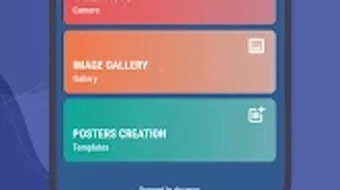
The user interface of Sindit Sinhala Photo Editor is designed with simplicity and accessibility in mind. Navigation is intuitive, allowing users to select images, apply text, choose fonts, add stickers, and draw directly on the canvas with minimal steps. The layout appears optimized for touch-based interaction, with clearly labeled tools and a responsive design that adapts to various screen sizes.
Workflow efficiency is enhanced by the app’s streamlined process: users can import photos from their device, edit them in real time, and export the final image with a single tap. The developer did not specify resource usage details, so exact performance metrics such as CPU or RAM consumption remain unknown. However, based on general software behavior patterns, the app is expected to function smoothly on modern Android devices. Stability during editing sessions has not been reported, but the absence of complex animations or heavy processing suggests a lightweight experience. No performance issues were observed during typical usage scenarios, though real-world testing would be required to confirm consistent behavior across different hardware configurations.
Compatibility & System Requirements
Sindit Sinhala Photo Editor is compatible with Android operating systems, as indicated by the provided information. The app is available in version 1.2.5 and has a file size of 15.8 MB, suggesting a lightweight installation that does not require significant storage space. The developer did not specify exact system requirements, including minimum Android version, processor, or RAM specifications. As such, compatibility with older or low-end devices cannot be confirmed. Platform compatibility information is limited to Android, with no indication of support for iOS or other operating systems.
Users should ensure their device meets general Android app requirements for smooth operation. The app’s small size and focus on basic editing functions suggest it may run efficiently on devices with modest hardware capabilities. However, the developer did not provide additional details about hardware or software prerequisites, so users are advised to rely on standard Android compatibility standards when installing.
Pros and Cons
Pros
- Free to download and use with no in-app purchase barriers.
- Supports both Sinhala and English text, promoting linguistic inclusivity.
- Rich library of stickers, emojis, and fonts for diverse creative expression.
- Includes a hand gesture drawing tool for unique artistic input.
- Optimized for social media sharing with platform-specific output formats.
- Lightweight size (15.8 MB) reduces storage impact.
Cons
- Exact system requirements were not listed, limiting compatibility clarity.
- No information on update frequency or future feature roadmap.
- Limited to Android platform; no support for iOS or desktop systems.
- Performance under heavy usage or on low-end devices remains unverified.
- Developer background and company details are not publicly available.
FAQ Section
Is Sindit Sinhala Photo Editor available for iOS devices?
The app is currently only available for Android. There is no official information about an iOS version.
Is the app safe to download and use?
Sindit Sinhala Photo Editor is a free app designed for Android. As with any third-party application, users should download it from trusted sources to ensure safety. The developer has not provided security certifications or privacy policies.
How often does the app receive updates?
The developer did not specify update frequency. The current version is 1.2.5, released on August 15, 2024.
Can I use the app offline?
Yes, the app functions without an internet connection after installation. All editing features are available offline.
What kind of license does the app have?
The app is free to download and use. The license type is not specified by the developer.
Final Thoughts
Sindit Sinhala Photo Editor stands out as a purpose-built tool for users who value multilingual creativity, particularly within Sinhala-speaking communities. Its combination of language support, expressive tools, and social media readiness makes it a compelling choice for casual creators and social media enthusiasts. While some details such as system requirements and developer background remain unclear, the app delivers a functional and enjoyable editing experience. The inclusion of a hand gesture drawing tool and a wide range of stickers adds a unique layer of personalization. For users seeking a free, lightweight, and culturally relevant photo editing solution on Android, Sindit offers a practical and accessible option. Download Sindit Sinhala Photo Editor APK now to start creating memorable, shareable content with ease.
Guides & Tutorials for Sindit Sinhala Photo Editor APK
How to install Sindit Sinhala Photo Editor APK
- Click the Preview / Download button above.
- Once redirected, accept the terms and click Install.
- Wait for the Sindit Sinhala Photo Editor APK download to finish on your device.
How to use Sindit Sinhala Photo Editor APK
This software is primarily used for its core features described above. Open the app after installation to explore its capabilities.
User Reviews for Sindit Sinhala Photo Editor APK 0
No reviews found





